

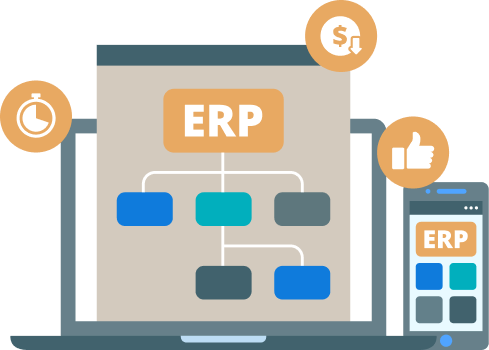
Every Dynamics 365 and ERP implementation ends up configured differently — different modules, different customizations, different integrations. We test the system you actually run, not a generic checklist, and document what we find so your team can hand off testing with confidence.
We integrate Agile methodology in our QA process. It is a continuous process rather than being sequential in which the development is aligned with customer requirements. The testing begins at the start of the project and there is an ongoing collaboration between testing and development.
The testing team works closely to understand your requirements. They follow the prioritized requirement practice: With each iteration, the team takes the most essential requirements remaining from the work stack to test on.

A detailed test plan is created that describes the scope of testing for the sprint.
It covers the systems and configurations that need to be tested, which processes are scripted versus explored by hand, documentation to reference, and the test environment requirements and setup.
The QA team writes test cases according to the test plan and unites them into a test case document. For each test case, we specify its objective, the initial state of the software, the input sequence and the expected outcome.
It is a three-step process:


Before a test case runs, the environment has to match what your users will actually see: the right configuration, the right security roles, and data that reflects real records rather than placeholders.
We set up and refresh test data ourselves so each cycle starts from a known state, and flag any environment gap that would make a test result unreliable.
Test cases are executed manually, in priority order — the order in which they run matters, so the most important cases go first.
It is common practice to schedule a System Integration Test just after delivery sprints, walking through how the app components work together end to end. So while app-specific bugs will primarily be reported during the sprints, functional end-to-end bugs will crop up during the integration test.


Testers are assigned loosely defined tasks to complete in the software. This means you can learn a lot about the way people use your product in the wild.
Testers identify the functionality of an application by exploring the application. The testers try to learn the application, and design & execute the test plans according to their findings.
You get a test summary report describing the testing results. This activity has the purpose of checking the results against the completion criteria specified in the test plan. Let’s look at the components of exit criteria in general:

We test the Dynamics 365 or ERP system you actually run, configured the way you actually run it — not a generic checklist. That gets you:
because real people walked the process before your users did
process maps and work instructions that match your actual configuration
training built on your workflows, so the system gets used instead of worked around


